


Popular articles


Can You Use Bluetooth Headphones on a Plane? Yes, but There Is One Catch
 Tips & GuidesCan You Use Bluetooth Headphones on a Plane? Yes, but There Is One Catch
Tips & GuidesCan You Use Bluetooth Headphones on a Plane? Yes, but There Is One Catch
Can You Use Bluetooth Headphones on a Plane? Yes, but There Is One Catch
Article content

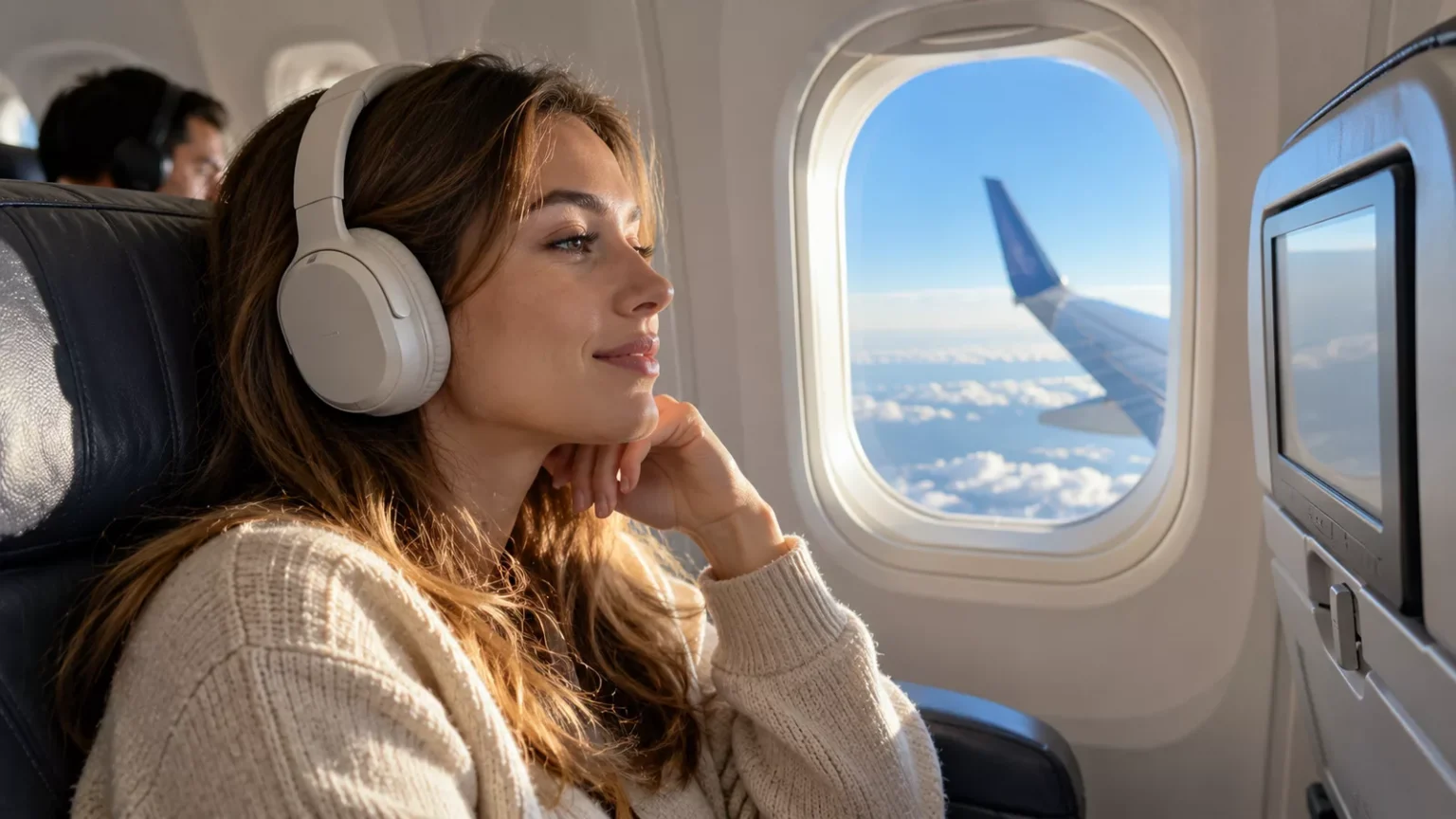
Yes, you can usually use Bluetooth headphones on a plane. On most commercial flights, passengers can put a phone or tablet into airplane mode and then switch Bluetooth back on to connect wireless headphones or earbuds.
That makes AirPods, Bose QuietComfort headphones, Sony wireless headphones and other Bluetooth models practical for listening to downloaded music, podcasts, movies and other content stored on a personal device. The Federal Aviation Administration requires cell phones and portable electronic devices to be used in airplane mode or with the cellular connection disabled, while permitted onboard Wi-Fi can be switched on separately. The FAA has also specifically recognized the use of Bluetooth accessories aboard aircraft.
The catch is not usually Bluetooth itself. It is the aircraft’s entertainment system.
Many seatback screens still use a traditional headphone jack and cannot connect directly to Bluetooth headphones. Some newer aircraft do support Bluetooth audio, but availability varies by airline, aircraft and even individual seat.
For that reason, travelers planning to use Bluetooth headphones on a plane should understand two separate questions: whether wireless headphones are allowed onboard and whether they can connect to the particular source of audio they want to use.
Can you use Bluetooth headphones on a plane in airplane mode?
Yes. Airplane mode and Bluetooth can normally be used together, so Bluetooth headphones on a plane can stay connected while the phone’s cellular radio remains disabled.
The sequence is simple. Put the phone into airplane mode as instructed by the airline, then check Bluetooth. On modern phones and tablets, Bluetooth can generally be turned back on independently if airplane mode disabled it.
The practical setup is:
- Turn on airplane mode.
- Confirm cellular service is disabled.
- Turn Bluetooth back on if necessary.
- Connect the Bluetooth headphones or earbuds.
- Use downloaded content or permitted onboard Wi-Fi.
- Follow any additional instructions from the cabin crew.
Airplane mode does not mean every wireless function must remain switched off for the entire flight. Airlines may permit Wi-Fi and Bluetooth while cellular transmission remains disabled.
The operating airline and crew still have the final say over use onboard. If a crew member instructs passengers to stop using or stow an electronic device, follow that instruction even if Bluetooth headphones would ordinarily be permitted.
Do Bluetooth headphones work during takeoff and landing?
Bluetooth headphones can often be used during takeoff and landing when the airline permits small portable electronic devices to remain in use, but passengers must follow the carrier’s instructions and pay attention to safety announcements.
Rules governing personal electronic devices have become substantially less restrictive than they once were. The FAA allows airlines to determine when devices can safely be used based on their aircraft and procedures, and European aviation rules similarly allow airlines to permit portable electronic devices during different phases of flight after appropriate safety assessment.
That does not mean passengers can ignore the cabin crew.
During the safety briefing, headphones should not prevent a passenger from hearing or understanding important instructions. Airlines may also have specific procedures during taxi, takeoff, turbulence or landing.
Large electronic devices such as laptops may need to be stowed even when small devices and Bluetooth headphones remain permitted.
The easiest rule is simple: airplane mode on, Bluetooth on if permitted, and crew instructions always take priority.
Does Bluetooth work when airplane mode is on?
Yes. On modern smartphones and tablets, Bluetooth can generally operate while the device remains in airplane mode.
Airplane mode primarily provides a quick way to disable cellular radio transmissions. Depending on the device and its previous settings, Wi-Fi and Bluetooth may switch off initially, but they can normally be re-enabled separately.
This is useful beyond Bluetooth headphones on a plane. Travelers may use Bluetooth to connect a wireless keyboard, smartwatch or another permitted accessory without turning cellular service back on.
If Bluetooth headphones disconnect after airplane mode is activated, there is usually no problem with the headphones. Open the device settings, turn Bluetooth back on and reconnect them.
It is worth testing this before boarding, particularly with an unfamiliar phone or pair of headphones. Airport boarding is a poor time to discover that the earbuds are not paired with the tablet containing all the downloaded movies.
Can you use AirPods on a plane?
Yes, AirPods can generally be used as Bluetooth headphones on a plane under the same rules that apply to other wireless earbuds.
Put the iPhone, iPad, Android device or other source into airplane mode, make sure Bluetooth is enabled and connect the AirPods normally.
The same principle applies to other popular Bluetooth headphones and earbuds. There is no special aviation category for AirPods that makes them fundamentally different from comparable Bluetooth audio devices.
The more important issue is what they are connecting to.
AirPods will work normally with a personal phone or tablet that supports them. They will not automatically connect wirelessly to an older seatback entertainment screen simply because both devices are on the aircraft.
That is where a Bluetooth transmitter or wired backup becomes useful.
Can Bluetooth headphones connect to airplane seatback screens?
Sometimes. Newer in-flight entertainment systems may support Bluetooth headphones directly, but many airplane seatback screens still require wired headphones.
This is the biggest practical limitation of using Bluetooth headphones on a plane.
A passenger watching Netflix downloads on an iPad can connect Bluetooth headphones normally. A passenger wanting to watch a movie on an older seatback entertainment system may find only a 3.5 mm audio jack, or on some aircraft a two-prong airline headphone connection.
There are three common scenarios:
| In-flight entertainment setup | Bluetooth headphones work? | What you need |
|---|---|---|
| Seatback screen with built-in Bluetooth | Yes | Pair headphones through the screen |
| Seatback screen with standard 3.5 mm jack | Not directly | Wired headphones or Bluetooth transmitter |
| Older two-prong airline audio socket | Not directly | Compatible airline adapter, possibly plus transmitter |
| Entertainment streamed to your own device | Yes | Bluetooth headphones connected to phone/tablet |
| Downloaded movies on personal device | Yes | Bluetooth headphones connected normally |
If in-flight entertainment matters, check the airline and aircraft before departure. Even then, an aircraft swap can change the available system at the last minute.
A tiny wired backup remains one of the easiest solutions.
How do you connect Bluetooth headphones to an airplane TV?
If the airplane TV supports Bluetooth, open the screen’s audio or connectivity settings, put the headphones into pairing mode and select them from the available devices.
The exact menus differ among in-flight entertainment systems.
A typical connection works like this:
- Open the entertainment system’s settings or audio menu.
- Choose Bluetooth or wireless headphones if available.
- Put the headphones into pairing mode.
- Select the headphones on the seatback screen.
- Wait for confirmation before starting the movie.
If there is no Bluetooth option anywhere on the screen, the entertainment system probably does not support direct wireless audio.
Do not spend 20 minutes repeatedly trying to pair the headphones. Look for the physical audio socket instead.
What if the plane has no Bluetooth for the entertainment system?
Use wired headphones or a small Bluetooth audio transmitter that plugs into the seatback headphone jack.
A Bluetooth transmitter acts as a bridge. It receives the analog audio from the aircraft’s headphone socket and sends it wirelessly to Bluetooth headphones or earbuds.
This can be particularly useful on long-haul flights when a traveler already owns high-quality noise-canceling Bluetooth headphones and does not want to use inexpensive airline earbuds for eight or ten hours.
The setup usually works like this:
- Plug the transmitter into the seatback audio jack.
- Turn on the transmitter.
- Put the Bluetooth headphones into pairing mode.
- Pair the two devices.
- Select the movie or audio on the seatback screen.
Pairing can occasionally be awkward in a cabin full of Bluetooth devices, so learn how to put both products into pairing mode before boarding.
A transmitter is optional, not essential. Travelers who rarely use seatback entertainment may be better off carrying a lightweight wired pair of earbuds.
Do you need a two-prong airplane headphone adapter?
Sometimes, but far less often than in the past. Some aircraft still use dual-prong audio sockets, while many newer entertainment systems use a standard 3.5 mm connection.
A two-prong airline adapter is inexpensive and tiny enough to leave permanently in a travel electronics pouch.
Do not confuse it with a Bluetooth transmitter. The adapter changes the physical plug configuration; it does not make wired audio wireless by itself.
A traveler using Bluetooth headphones with an older dual-prong system may therefore need both an appropriate physical adapter and a Bluetooth transmitter.
This is more preparation than most travelers need for a short flight. On a long-haul itinerary where seatback entertainment will be used for many hours, however, a few grams of backup equipment can prevent an annoying problem.
Do all airlines allow Bluetooth headphones on a plane?
Bluetooth headphones are widely permitted, but the exact electronic-device policy is set by the airline and may vary by aircraft or phase of flight.
In the United States, the FAA requires cellular connections to be disabled or devices to be in airplane mode. Airlines determine how portable electronic devices can be used safely aboard their fleets.
European rules follow a similar operator-based approach. EASA permits airlines to allow portable electronic devices and recognizes Bluetooth-capable equipment within its electronic-device framework, but the operator must ensure that use does not interfere with aircraft systems.
That is why there is no useful universal promise that Bluetooth headphones will be usable in exactly the same way on every commercial flight worldwide.
In practice, using Bluetooth headphones with a phone or tablet in airplane mode is routine on many airlines. The variables are more likely to involve seatback compatibility and airline-specific procedures than a blanket ban on wireless headphones.
Can you use Bluetooth headphones on international flights?
Yes, Bluetooth headphones can usually be used on international flights, but passengers should follow the operating airline’s electronic-device policy rather than assuming one country’s rule applies everywhere.
An international itinerary may involve airlines regulated under different aviation systems.
For example, a U.S. carrier may follow FAA requirements, while a European airline operates under EASA-related rules and its own approved procedures. Airlines elsewhere may have their own national regulations and onboard policies.
The practical behavior remains similar on many modern commercial flights: activate airplane mode, enable Bluetooth if permitted and follow crew instructions.
Travelers do not normally need to buy special “airplane headphones” merely because the flight crosses an international border.
Can you use Bluetooth headphones on a plane without Wi-Fi?
Yes. Bluetooth does not require the airplane’s internet connection, so Bluetooth headphones work even when the aircraft has no Wi-Fi.
This is an important distinction.
Bluetooth is the short-range wireless connection between the headphones and a nearby device. Wi-Fi is a separate connection that may provide internet access or access to an airline’s entertainment portal.
A passenger can therefore listen to downloaded music or watch a downloaded movie with Bluetooth headphones while the phone has no internet connection at all.
This is why downloading entertainment before departure is so useful.
Movies, television episodes, playlists, podcasts, audiobooks and games can all make a flight much easier without buying onboard Wi-Fi. Just confirm that the relevant app actually permits downloaded content to play offline.
For other useful offline tools before a trip, LitiTravels’ guide to the best travel apps explains which maps, translation tools and itinerary apps remain useful when internet access disappears.
Should you download movies before flying?
Yes, especially if entertainment matters. Downloaded content is more reliable than depending on aircraft Wi-Fi for streaming.
In-flight Wi-Fi varies enormously. Some systems are fast enough for substantial internet use, while others restrict streaming, slow down with heavy demand or are unavailable entirely.
A good preflight entertainment setup takes only a few minutes at home:
- Download several hours of video.
- Download music or playlists.
- Save podcasts or audiobooks offline.
- Check that downloads have not expired.
- Test playback in airplane mode.
- Pair Bluetooth headphones before leaving home.
- Charge both headphones and their case.
Testing airplane mode is particularly useful. It reproduces the basic situation onboard and reveals whether an app is secretly depending on an internet connection.
Can you use noise-canceling Bluetooth headphones on a plane?
Yes. Noise-canceling Bluetooth headphones are particularly useful on aircraft because active noise cancellation can reduce the constant low-frequency cabin and engine noise.
They do not make the cabin silent, and they do not eliminate every voice, announcement or sudden sound. But reducing steady background noise can make music and movies easier to hear without turning the volume unnecessarily high.
Over-ear noise-canceling headphones can also be more comfortable than earbuds on long flights for some travelers.
The trade-off is size. Large headphones take more carry-on space and may be uncomfortable for sleeping against a window or headrest.
Travelers who already own good Bluetooth noise-canceling headphones generally do not need a second premium pair specifically for flying. The more useful purchase, if necessary, is often a cheap wired backup or Bluetooth transmitter.
Can you use Bluetooth earbuds on a plane?
Yes. Bluetooth earbuds are generally subject to the same onboard electronic-device rules as other Bluetooth headphones.
Their small size makes them particularly convenient for travel, but it creates one obvious problem: they are easy to drop.
Be careful when removing an earbud in a dark cabin. A tiny earbud rolling underneath several rows of seats can be difficult to retrieve and should not lead to crawling around the cabin during turbulence or while the seat belt sign is illuminated.
Keep the charging case somewhere accessible rather than buried in the overhead bin.
The case also matters because true wireless earbuds often have much shorter continuous battery life than large over-ear headphones. A long-haul flight may require one or more charging breaks.
Can Bluetooth headphones stay in your carry-on bag?
Yes. Bluetooth headphones and earbuds are ordinary portable electronic devices and are normally suitable for carry-on baggage.
In fact, keeping valuable electronics in the cabin is generally the more practical choice.
Most Bluetooth headphones contain rechargeable lithium-ion batteries. FAA guidance recommends carrying portable electronic devices containing lithium batteries in carry-on baggage. If a permitted battery-powered device is placed in checked baggage, it must be completely switched off and protected against accidental activation and damage.
Carry-on storage also keeps the headphones available during the flight.
Do not place headphones, a tablet and every charging accessory in the overhead bin if they will be needed immediately after takeoff. Put the essential items in a small personal-item pocket that can be reached without repeatedly opening the overhead compartment.
Can Bluetooth headphones go in checked luggage?
Battery-powered headphones may generally be permitted in checked baggage when applicable battery rules are met, but carry-on baggage is the better choice.
The FAA states that portable electronic devices powered by lithium batteries should be carried in carry-on baggage. When allowed in checked luggage, devices containing lithium batteries must be completely powered off and protected against accidental activation and damage.
Rules for spare lithium batteries and power banks are stricter. Spare lithium batteries and power banks must be carried in the cabin rather than checked under FAA rules.
Bluetooth headphone charging cases contain installed batteries as part of the device, but travelers should still protect the case against damage.
Airlines and countries can impose additional restrictions, so the operating carrier’s dangerous-goods rules should be checked for unusual equipment or particularly large batteries.
What happens if Bluetooth headphones overheat on a plane?
Stop using the device and notify a flight attendant immediately if headphones, earbuds or their charging case become unusually hot, swell, smoke or show other signs of battery failure.
Do not put a malfunctioning lithium-battery device into a bag and hope it cools down.
Cabin crews are trained to respond to lithium battery incidents. FAA guidance specifically tells passengers to notify crew immediately when a lithium-battery device is overheating, expanding, smoking or burning.
This applies to phones, laptops, power banks and other rechargeable electronics as well as audio devices.
Battery failures are uncommon, but damaged, crushed or defective lithium-ion cells can create serious problems. Do not travel with headphones or a charging case that is visibly swollen or badly damaged.
Can you charge Bluetooth headphones on a plane?
Often, yes, if the seat has a functioning USB port or power outlet and the airline permits its use.
Power availability varies by aircraft and seat.
Some seats provide USB-A, newer aircraft may offer USB-C, and others have universal AC outlets. Older or shorter-haul aircraft may offer no passenger power at all.
Do not assume a port will work simply because the airline’s fleet information suggests that power is available. Aircraft substitutions and broken outlets happen.
Fully charge Bluetooth headphones before leaving for the airport.
A power bank can provide backup charging, but lithium-battery rules apply. Under FAA requirements, spare lithium batteries and power banks belong in carry-on baggage and are prohibited from checked baggage. Airlines may also impose stricter limits on power banks, so check the operating carrier before travel.
Do Bluetooth headphones interfere with airplane systems?
Approved passenger use of Bluetooth is generally considered manageable on modern commercial aircraft, but airlines control when and how transmitting portable electronic devices may be used.
Bluetooth uses short-range radio communication. Aviation authorities do not simply assume every electronic transmission is harmless in every aircraft under every condition, which is why airlines assess portable electronic device use and publish onboard procedures.
The FAA permits airlines to expand passenger use of portable electronic devices after determining that their aircraft can tolerate them. EASA similarly requires operators to ensure portable electronic devices do not adversely affect aircraft systems.
Passengers do not need to perform that technical assessment themselves.
The passenger’s responsibility is straightforward: use airplane mode, enable only the wireless functions the airline permits and follow crew instructions.
Why is cellular service different from Bluetooth on a plane?
Cellular transmission and Bluetooth are different radio technologies used for different purposes, which is why a phone can remain in airplane mode while Bluetooth headphones continue working.
A phone’s cellular radio tries to communicate with mobile networks over much greater distances. Bluetooth is designed primarily for short-range connections between nearby devices.
That difference is why switching on Bluetooth does not mean switching the phone’s ordinary cellular service back on.
If the phone displays normal terrestrial cellular service while airborne when it should be in airplane mode, check the settings.
On aircraft that provide approved onboard mobile or Wi-Fi connectivity, follow the airline’s instructions for using those services.
Can you make calls with Bluetooth headphones on a plane?
Bluetooth headphones can technically handle voice audio, but ordinary cellular voice calls are generally not permitted in flight under standard U.S. onboard rules.
Having a microphone in the headphones does not change the restrictions on the phone’s cellular connection.
Some airlines may offer internet-based communication through onboard Wi-Fi, but policies can restrict voice or video calling because of cabin rules and passenger comfort.
Even when a messaging service works over Wi-Fi, that does not automatically mean a full voice call is allowed.
Check the airline’s onboard connectivity policy rather than assuming that internet access permits every normal phone function.
Can you connect two Bluetooth headphones to one phone or tablet on a plane?
Sometimes. The ability to share audio with two pairs of Bluetooth headphones depends on the phone, tablet and headphone ecosystem rather than on the aircraft.
Some devices offer built-in audio-sharing features for compatible headphones. Others support only one Bluetooth audio output at a time.
This can matter for couples or families who want to watch the same downloaded movie.
Test the setup at home before relying on it during the flight. Pairing two unfamiliar sets of headphones after boarding can be frustrating, especially if the device requires specific compatible models.
A wired headphone splitter remains another simple option when the playback device supports wired audio.
Can children use Bluetooth headphones on a plane?
Yes, when the airline permits Bluetooth devices, but child-safe volume and fit matter more than the wireless connection itself.
Children may be tempted to increase the volume because aircraft cabins are noisy.
Noise-isolating or appropriately designed children’s headphones can make audio easier to hear without excessive volume. Parents should set a reasonable volume before handing over the device rather than allowing a child to compensate for engine noise by turning it up repeatedly.
Download children’s entertainment before the flight. A long journey becomes much easier when a favorite movie does not depend on unreliable Wi-Fi.
Also pack a charging cable and, for very long flights, consider a wired backup.
What if your Bluetooth headphones die during the flight?
A dead battery turns many wireless headphones into either wired headphones or no headphones at all, depending on the model.
Some over-ear Bluetooth headphones can continue playing through a cable after the battery runs out. Many true wireless earbuds cannot.
Before a long flight, check the advertised battery life against the actual travel day, not merely the scheduled flight time.
A 10-hour flight can mean 14 or more hours away from convenient charging once airport waiting, boarding, delays and ground transportation are included.
Charge the headphones fully and keep their cable accessible. If using true wireless earbuds, charge the case as well.
Bluetooth headphones vs wired headphones on a plane
Bluetooth headphones are usually more comfortable and convenient with personal devices, while wired headphones remain the most reliable universal backup for seatback entertainment. Neither option completely replaces the other on every aircraft.
| Feature | Bluetooth headphones | Wired headphones |
|---|---|---|
| Phone or tablet | Excellent | Depends on device having a port/adapter |
| Seatback entertainment | Depends on aircraft | Usually easiest |
| Requires battery | Yes | Usually no |
| Noise canceling | Common on premium models | Available on some models |
| Cable clutter | No | Yes |
| Works when wireless battery dies | Not always | Yes |
| Easy universal backup | Less so | Yes |
| Best for downloaded entertainment | Excellent | Good |
You may also be interested in our article: SSSS on a Boarding Pass: What It Means and What to Do Before Your Flight
The most reliable travel setup is not necessarily choosing one over the other. For a long-haul flight, use the preferred Bluetooth headphones and put a tiny wired pair or appropriate cable in the carry-on as backup. That solution costs little, weighs almost nothing and removes most compatibility problems.
What should you pack if you want to use Bluetooth headphones on a plane?
Pack the headphones, charging equipment and one backup solution rather than relying on the aircraft to provide everything. For a long flight, a useful audio kit includes:
- Bluetooth headphones or earbuds.
- The charging case, if applicable.
- A charging cable.
- A small wired backup or audio cable if the headphones support one.
- A Bluetooth transmitter if seatback entertainment is important.
- A two-prong airline adapter only if needed for older systems.
- Downloaded entertainment on the phone or tablet.
- A permitted power bank for long travel days if necessary.
The Bluetooth transmitter and airline adapter are optional. Most travelers who mainly watch downloaded content on a personal device can skip them.
A broader travel packing checklist can also help keep chargers, adapters and other easy-to-forget electronics together rather than discovering after boarding that one essential cable is in checked baggage.
How to prepare Bluetooth headphones before a flight
Pair, charge and test Bluetooth headphones before leaving home. It takes five minutes and prevents most onboard problems. Use this preflight check:
- Charge the headphones fully.
- Charge the earbud case if using true wireless earbuds.
- Pair the headphones with the phone or tablet.
- Activate airplane mode.
- Turn Bluetooth back on if needed.
- Confirm the headphones reconnect.
- Play downloaded content without Wi-Fi.
- Pack the charging cable in carry-on baggage.
- Pack a wired backup for long-haul flights.
- Check the airline’s electronic-device policy if anything about the equipment is unusual.
This test catches two common problems at once: headphones that are not properly paired and entertainment apps whose “downloaded” content still needs an online login. The best time to fix either problem is at home, not at 35,000 feet.
Are Bluetooth headphones worth bringing on a plane?
Yes. For most travelers, Bluetooth headphones are one of the most useful pieces of personal electronics to bring on a flight.
They work particularly well with phones and tablets, remove cable clutter and make downloaded entertainment easy to use. Noise-canceling models can also make a long flight considerably more comfortable.
Their weakness is compatibility with older seatback entertainment. That problem is easy to solve. Bring a cable if the headphones support wired mode, pack inexpensive wired earbuds or use a Bluetooth transmitter if seatback movies are important.
There is little reason to abandon Bluetooth headphones simply because an aircraft may have an old audio jack.
FAQ about Bluetooth headphones on a plane
Can you use Bluetooth headphones on a plane?
Yes, Bluetooth headphones can usually be used on a plane when the airline permits portable electronic devices. Put the phone or tablet into airplane mode, then enable Bluetooth if necessary and follow crew instructions.
Can you use Bluetooth headphones on a plane in airplane mode?
Yes. Bluetooth can normally be switched on while the phone remains in airplane mode. This allows Bluetooth headphones on a plane to connect without turning ordinary cellular service back on.
Does Bluetooth work in airplane mode?
Yes, on modern phones and tablets Bluetooth can generally operate independently of the cellular connection. Airplane mode may initially change wireless settings, but Bluetooth can normally be re-enabled separately.
Can you use AirPods on a plane?
Yes. AirPods can generally be used on a plane like other Bluetooth earbuds. They work easily with compatible personal devices, although older seatback entertainment systems may require a transmitter or wired alternative.
Can you use Bluetooth headphones during takeoff?
Often yes, when the airline permits small electronic devices during takeoff. Passengers must still follow crew instructions and remain able to pay attention to the safety briefing.
Can you use Bluetooth headphones during landing?
Often yes under the same portable-electronics policy that applies during the rest of the flight. The airline can impose additional restrictions, and crew instructions always take priority.
Can Bluetooth headphones connect to airplane TVs?
Some can connect directly, but only when the seatback entertainment system supports Bluetooth. Older systems usually require wired headphones or a Bluetooth transmitter plugged into the audio jack.
How do you connect AirPods to airplane entertainment?
If the seatback screen supports Bluetooth, put the AirPods into pairing mode and select them through the screen’s Bluetooth settings. If the screen has only a headphone jack, a compatible Bluetooth transmitter is needed for wireless audio.
Do you need an adapter for Bluetooth headphones on a plane?
Not when connecting Bluetooth headphones to a personal phone or tablet. An adapter or Bluetooth transmitter may be needed when using an older seatback entertainment system.
Do Bluetooth headphones work without airplane Wi-Fi?
Yes. Bluetooth headphones do not require internet access. They can play downloaded music, movies, podcasts and audiobooks from a nearby personal device even when the aircraft has no Wi-Fi.
Can you watch downloaded Netflix with Bluetooth headphones on a plane?
Yes, provided the content has been downloaded correctly and remains available offline under the streaming service’s rules. Test playback in airplane mode before departure so any login or download problem can be fixed at home.
Can you use noise-canceling Bluetooth headphones on a plane?
Yes. Noise-canceling Bluetooth headphones are especially useful on flights because they can reduce steady cabin and engine noise. They still need to comply with normal electronic-device and crew instructions.
Are Bluetooth headphones allowed in carry-on luggage?
Yes. Bluetooth headphones and earbuds are normally suitable for carry-on baggage. Keeping lithium-battery electronics in the cabin is also generally preferable from a safety and practical standpoint.
Can Bluetooth headphones go in checked baggage?
Devices containing installed lithium batteries may be permitted in checked baggage under applicable rules when completely powered off and protected from damage, but carry-on is preferable. Airline-specific restrictions should also be checked.
Can you charge Bluetooth headphones during a flight?
Yes when the aircraft provides a usable USB port or power outlet and onboard rules permit it. Charge before departure anyway because passenger power is not guaranteed on every aircraft or seat.
Can you bring a power bank for Bluetooth headphones on a plane?
Yes, subject to battery-size and airline restrictions, but power banks must be carried in the cabin rather than checked under FAA rules. Airlines can impose additional limits, so check the operating carrier before departure.
Are Bluetooth headphones safe on planes?
Bluetooth headphones are routinely used aboard commercial aircraft when permitted by the operator. Passengers should keep cellular service disabled as required, follow the airline’s portable-electronic-device rules and immediately alert cabin crew if a battery-powered device overheats, swells, smokes or burns.
Can two people connect Bluetooth headphones to one tablet on a plane?
Sometimes. Audio sharing depends on the tablet, phone and headphone models rather than the aircraft. Test the combination before traveling if two passengers plan to watch the same movie.
Should you bring wired headphones even if you have Bluetooth headphones?
Yes for a long flight. A small wired backup is useful because some seatback entertainment systems do not support Bluetooth and wireless headphones can run out of battery. It is one of the cheapest ways to avoid an unnecessary in-flight annoyance.
What is the easiest way to use Bluetooth headphones on a plane?
Charge and pair them before departure, put the phone into airplane mode after boarding, switch Bluetooth back on if necessary and use downloaded entertainment. If seatback movies matter, pack wired headphones or a Bluetooth transmitter as a backup..


Author of LitiTravels Portal


Articles by the author:
All articles by author

Four letters on a boarding pass can change the airport routine. This guide explains the SSSS boarding pass meaning, what secondary screening may involve, whether TSA PreCheck helps, how early to arrive and what to do if SSSS fo...
 October 16, 2026
 8
8
A passport can still be legally valid and still get you denied boarding. The passport 6-month rule varies by destination, and some countries require three months, 30 days or only enough validity for your stay. Here is how to ch...
October 15, 2026
13
A power bank belongs in your carry-on, a pocket knife does not, and peanut butter counts as a liquid at TSA security. Before closing your suitcase, check 25 items travelers still pack in the wrong bag and what to do with them i...
October 14, 2026
19

The best honeymoon destinations in the world are not simply the places with the prettiest beaches. This 2026/27 shortlist compares 15 romantic trips by season, budget, privacy, travel time and what couples can realistically do ...
October 13, 2026
24
Subscribe to “lititravels” on Telegram for gaming intel.
No filler, no fuss—just your daily XP boost. Hop in and level up, squad!



Read also
Four letters on a boarding pass can change the airport routine. This guide explains the SSSS boarding pass meaning, what secondary screening may involve, whether TSA PreCheck helps, how early to arrive and what to do if SSSS fo...
October 16, 2026
8
An eSIM can get you online before you leave the airport, while a local physical SIM may offer better value or a real local number. This eSIM vs physical SIM travel guide explains which option wins for short trips, long stays an...
October 8, 2026
29

London makes it easy to plan a memorable date – and surprisingly easy to overcomplicate one. These 27 date ideas cover free afternoons, first meetings, rainy days, big anniversaries and unusual nights, with practical ways to ch...
October 8, 2026
44
Taking a power bank on a plane is still allowed in 2026, but the rules have changed. A new two-power-bank limit, strict carry-on requirements and airline-specific restrictions mean travelers should check more than the mAh numbe...
October 6, 2026
44
A phone full of travel apps does not necessarily make a trip easier. These are the best travel apps in 2026 for the jobs that actually matter – from finding flights and building an itinerary to navigating offline, translating m...
October 1, 2026
86

The wrong London hotel can add an hour of Tube travel to every day. This guide compares 10 areas that actually work for visitors, from walkable Covent Garden to museum-friendly South Kensington and Heathrow-ready Paddington.
September 22, 2026
139

Chicago has enough great coffee to turn café-hopping into a full day out. These 12 Chicago coffee shops range from pioneering specialty roasters to tiny neighborhood favorites – plus there is a realistic route for tasting them ...
September 22, 2026
59

Swiss food is much bigger than fondue and chocolate. Travel from Zurich to Valais and Ticino and the menu changes completely. These 15 dishes show what to order, where each specialty makes sense and which famous foods are actua...
September 21, 2026
75

Glasgow food is much bigger than haggis. The city mixes old-school Scottish comfort dishes, legendary breakfast rolls, chippy culture, South Asian flavours and ambitious modern cooking. Start with these 15 foods and the neighbo...
September 19, 2026
64

San Francisco is easier to navigate safely when you know how quickly conditions can change from one block to the next. Here is what visitors need to know in 2026 about neighborhoods, nighttime travel, transit, car break-ins and...
September 18, 2026
99

Cooperation
Looking to shine a spotlight on your project? LitiTravels has you covered! We offer article-based promotion, manage branded blogs on our platform, drive engagement through our social media channels, and create content that delivers real results. Get in touch today and let’s make your brand stand out!
Subscribe to the monthly news digest from LitiTravels
The main news and updates from the team about gadgets, sports, cars, health, and lifestyle.
