


Popular articles


15 Best Travel Apps in 2026 That Can Actually Make a Trip Easier
 Tips & Guides15 Best Travel Apps in 2026 That Can Actually Make a Trip Easier
Tips & Guides15 Best Travel Apps in 2026 That Can Actually Make a Trip Easier
15 Best Travel Apps in 2026 That Can Actually Make a Trip Easier
Article content

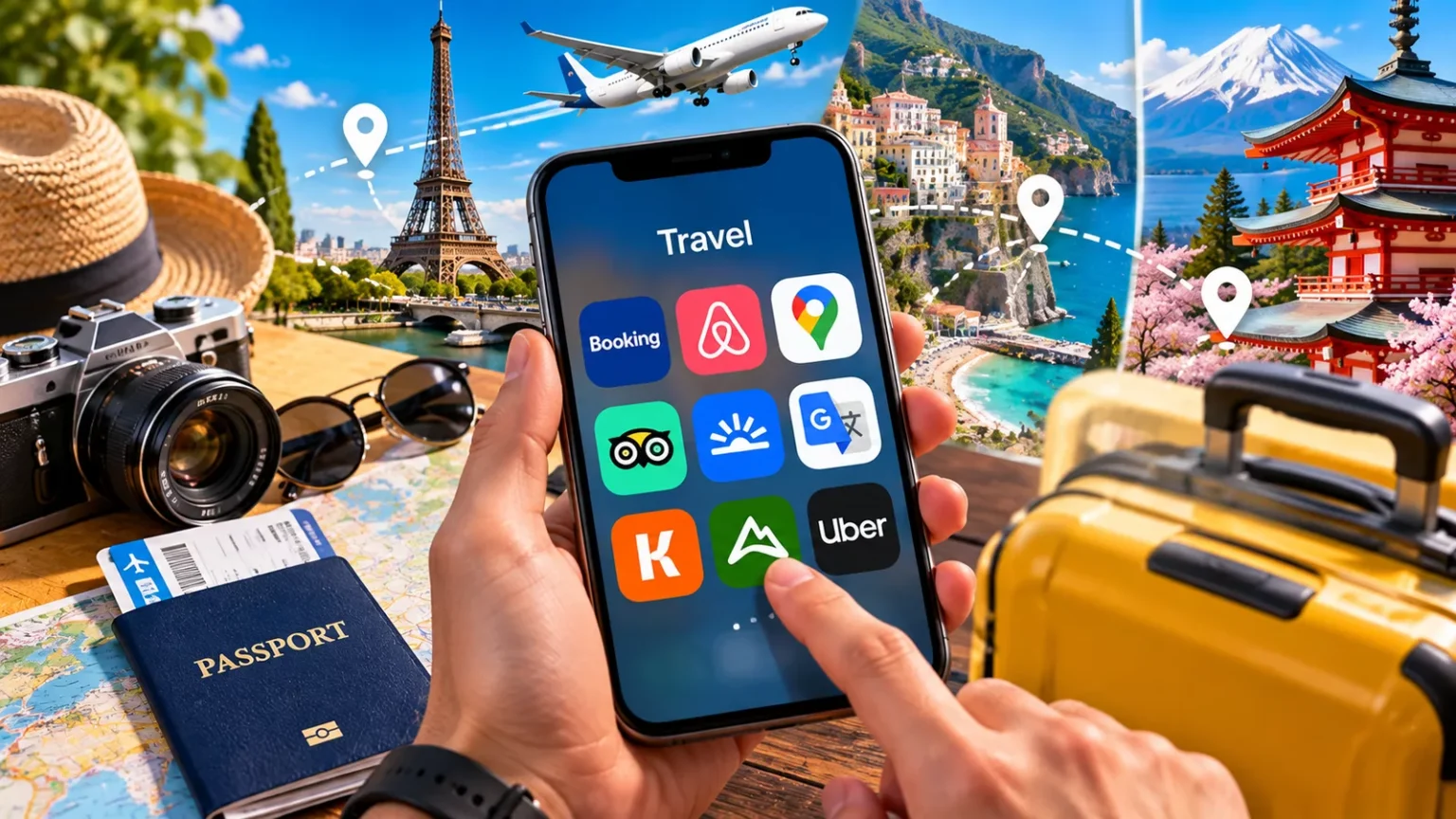
The best travel apps in 2026 are not the ones that promise to do everything. The most useful setup is a small group of apps that solve different problems: finding flights, organizing reservations, navigating without mobile data, translating unfamiliar languages, managing money and keeping a group trip under control. Downloading the right tools before departure can eliminate much of the frantic searching that otherwise happens at airports, train stations and unfamiliar street corners.
For most travelers, five or six carefully chosen travel apps are enough for an entire trip. Google Maps covers everyday navigation, Google Translate helps with language barriers, a flight-search tool such as Skyscanner makes fare comparison easier, TripIt or Wanderlog can organize the itinerary, and Splitwise becomes particularly useful when several people are sharing expenses. International travelers may want one additional tool for offline mapping, currency management or connectivity.
The important distinction is that there is no single best travel app for every journey. A weekend city break, a three-week journey across Europe, a Canadian road trip and a group vacation all create different problems. The smarter approach is to choose apps according to the trip rather than filling a phone with 20 tools that perform nearly identical jobs.
Best Travel Apps in 2026 at a Glance
The strongest travel app setup covers the practical stages of a journey rather than trying to replace every travel website on the internet. Start with the problem that needs solving, then install one strong tool for that job.
| Travel app | Best for | Free option | Offline value | Most useful when |
|---|---|---|---|---|
| Google Maps | Everyday navigation | Yes | High with downloaded maps | Almost every trip |
| Organic Maps | Fully offline mapping | Yes | Very high | Road trips, hiking, low-data travel |
| Google Translate | Language help | Yes | High with downloaded languages | International travel |
| Skyscanner | Comparing flights | Yes | Low | Before booking |
| Wanderlog | Building itineraries | Yes | Higher with Pro | Multi-day and group trips |
| TripIt | Organizing reservations | Yes | High | Trips with many bookings |
| Splitwise | Splitting group expenses | Yes | Useful | Friends and family trips |
| Rome2Rio | Comparing transport options | Yes | Mainly online | Multi-city travel |
| Citymapper | Urban public transport | Yes | Limited | Supported major cities |
| Flighty | Flight tracking | Limited/free features vary | Useful once trip data is loaded | Frequent flyers |
| Wise | Multi-currency spending | App/account availability varies | Limited | International spending |
| Polarsteps | Recording a journey | Yes | Useful | Long trips and travel memories |
| AllTrails | Hiking and trail planning | Yes | Stronger on paid plans | Hiking trips |
| Roadtrippers | Road-trip planning | Limited/free options | Varies | Driving holidays |
| Airline app | Boarding and disruption updates | Yes | Boarding pass often accessible | Every flight |
A traveler does not need all 15. For a typical international city trip, Google Maps, Google Translate, an airline app, one itinerary organizer and one flight or transport search tool cover most practical needs. Add specialist apps only when the itinerary creates a reason to use them.
1. Google Maps Is Still the Travel App Most People Will Use Every Day
Google Maps remains one of the most useful travel apps because it handles a problem almost every traveler encounters repeatedly: getting from the current location to the next one. It can combine walking directions, driving routes, public transport information, saved places and business information in a single interface. The ability to create lists also makes it useful before departure, not just after arrival.
Its biggest travel advantage is offline mapping. Areas can be downloaded to a phone in advance and used when mobile data is unavailable or unreliable, although offline functionality has limitations and map downloads are not available everywhere. Travelers should therefore download the destination area while connected to Wi-Fi and test that it opens before leaving.
Offline maps are especially valuable immediately after landing. Mobile service may not yet be active, airport Wi-Fi may be unreliable, or roaming may be expensive. Having the airport, accommodation and surrounding neighborhoods already stored on the device removes one of the most common arrival-day problems.
Google Maps is less complete offline than it is with an internet connection, so it should not be treated as a universal replacement for connectivity. Download the map, save the hotel, airport and important stations, and keep the accommodation address separately as a screenshot or note.
2. Organic Maps Is One of the Best Travel Apps for Going Fully Offline
Organic Maps is particularly useful when the journey goes beyond well-connected city centers. It is built around offline maps and navigation, making it a practical backup for hiking, cycling, driving and travel in places where mobile coverage is unreliable. Maps are based on OpenStreetMap data and can be downloaded before the trip.
The main advantage is simplicity: offline use is not merely an emergency feature added to an online-first service. The app is designed to function without an active internet connection, which makes it valuable for remote areas, international trips without constant roaming and travelers trying to minimize mobile-data use.
There is still a reason to keep Google Maps as well. Business information, live traffic and other real-time data can be more important in cities, while an offline-first map becomes more valuable when connectivity disappears. Using two complementary map apps can be more useful than searching for one supposedly perfect navigation app.
For a long driving journey, digital tools are only part of the preparation. LitiTravels’ guide to road trips across Canada shows how route length, overnight stops and the geography of the journey can matter just as much as the navigation app itself.
3. Google Translate Is an Essential Travel App for International Trips
Google Translate earns a place on an international travel phone because translation becomes most important at unpredictable moments. A restaurant menu, ticket machine, sign, pharmacy instruction or short conversation may suddenly require language help even when most of the trip can be managed in English.
Languages can be downloaded in advance for offline translation where supported. That is worth doing before departure rather than discovering the feature when there is no signal. Camera translation can also be useful for printed text, although availability and performance vary by language and device.
Translation apps should be treated as practical aids rather than perfect interpreters. Short, direct phrases generally work better than complicated sentences filled with slang or cultural nuance. For important medical, legal or safety information, machine translation should not be the only source of understanding.
A useful pre-trip habit is to download the necessary language pack and save a few essential phrases independently. An offline translation tool is most valuable precisely when the traveler cannot search for another solution.
4. Skyscanner Is One of the Best Travel Apps for Finding Flight Options
Skyscanner is most useful during the decision stage of a trip, particularly when dates or destinations are flexible. Its search tools can compare flight options across airlines and travel providers, while features such as month searches, nearby airports, Everywhere searches and price alerts help travelers examine alternatives instead of repeatedly checking one fixed itinerary.
The Everywhere function is especially useful when the budget matters more than the destination. A traveler can start with the departure airport and see potential destinations rather than searching countries individually. Price alerts are more useful when the route is already decided but the booking has not yet been made.
Search results should still be checked carefully before payment. Baggage, seat selection, connection conditions, airport changes and ticket flexibility can turn the lowest headline fare into a poor deal. When two prices are close, booking directly with the operating airline can also make disruption management simpler.
A cheap flight is only genuinely cheap when the full itinerary still works. Compare the final fare, baggage allowance, airport, connection time and cancellation conditions rather than choosing solely from the first search result.
5. Wanderlog Is One of the Best Travel Planning Apps for Building an Itinerary
Wanderlog is useful when a trip contains enough places, reservations and daily plans that ordinary notes start becoming difficult to manage. It combines itinerary building, maps, reservations, collaboration, budgeting, checklists and route planning within the same travel-planning environment.
Its strongest use case is a trip that still needs to be constructed. Places can be grouped into days, viewed geographically and shared with other travelers, which helps prevent the common mistake of scheduling attractions on opposite sides of a city in the same afternoon. Group collaboration also makes it more practical when several people are contributing ideas.
Some advanced functions, including offline trip access and route optimization, are associated with Wanderlog Pro. That means the free version can be sufficient for straightforward itinerary building, while road trips or journeys with unreliable connectivity may justify comparing the premium features before departure.
Wanderlog becomes more useful as itinerary complexity increases. For a three-day city break, a saved map may be enough; for three weeks across several countries, a dedicated trip planner can prevent reservations, transport and daily plans from becoming fragmented. Travelers planning a longer European journey can also use the LitiTravels Europe itinerary for 3 weeks as a starting point before transferring selected stops into a planning app.
6. TripIt Is Better When the Trip Is Already Booked
TripIt solves a slightly different problem from a traditional travel planner. Instead of focusing primarily on discovering attractions and constructing days, it is designed to bring existing reservations into one organized itinerary. Flights, hotels, rental cars and other travel plans can therefore sit in one chronological view rather than remaining scattered across email inboxes.
The basic TripIt service is free, while TripIt Pro currently costs $49 per year and adds features such as real-time flight alerts, check-in reminders, alternate-flight information and additional airport assistance. The itinerary can also be accessed offline, which is particularly useful after landing without reliable connectivity.
TripIt makes the most sense for journeys with multiple confirmations. A simple weekend with one return flight and one hotel reservation may not need a dedicated organizer, while a two-week itinerary involving several flights, trains, accommodation bookings and car rentals can benefit considerably.
The easiest distinction is this: Wanderlog is particularly useful while building a trip, while TripIt becomes especially useful once the trip has been booked. Some travelers may use one or the other; complicated journeys can justify both.
7. Splitwise Is One of the Best Travel Apps for Groups
Group travel becomes surprisingly complicated when one person pays for the hotel, another buys train tickets and somebody else covers dinner. Splitwise keeps a running record of shared expenses and calculates balances, reducing the need to settle every purchase immediately.
Expenses can be divided equally or using different amounts, percentages or shares. That matters on real trips because not every cost is genuinely equal. One traveler may skip an activity, a couple may share one room, or only part of the group may use a rental car.
The best approach is to create the trip group before departure and agree on how shared costs will be entered. Waiting until the final evening to reconstruct a week of receipts usually creates more work, not less.
Splitwise is most useful as a record of who owes what, not as an excuse to ignore the actual travel budget. Travelers should still decide in advance which expenses are shared and which remain individual.
8. Rome2Rio Helps Solve the “How Do We Get There?” Problem
Rome2Rio is useful during multi-city and international planning because transport between two places is not always as obvious as it looks on a map. A journey may involve flights, trains, buses, ferries, driving or combinations of several modes, and comparing the broad possibilities first can save considerable planning time.
It is particularly helpful for unfamiliar regions. Instead of assuming that two nearby cities have a convenient direct train, travelers can investigate the available transport patterns before committing to accommodation or a tightly timed itinerary.
The results should be treated as a planning starting point rather than the final authority for departure times or fares. Transport schedules, seasonal services and ticket conditions can change, so the actual operator should be checked before booking.
This distinction is important across the best travel apps in 2026. Discovery and comparison tools help identify options; the airline, railway, ferry or bus operator remains the place to verify the journey that will actually be taken.
9. Citymapper Can Be Better Than a General Map in Major Cities
Citymapper focuses on urban transport and can be extremely useful in cities where it is supported. It combines different public transport modes and can make complicated journeys involving metro lines, buses, trains and walking easier to understand.
Its value rises in cities with dense public-transport networks. A general mapping app may provide a valid route, while a transit-focused app can make the options easier to compare in the context of how people actually move around the city.
Coverage is the limitation. Citymapper is not the travel app to depend on for every destination worldwide, so travelers should check whether the destination is supported before making it part of the essential app stack.
London is a good example of a destination where transport decisions can shape the entire day. Before relying only on an app, the LitiTravels guide to tips for traveling to London covers additional practical considerations for getting around and planning time in the city.
10. Flighty Is Built for Travelers Who Care About Flight Details
Flighty is a specialist flight-tracking app rather than a general trip planner. Its purpose is to keep flight information, schedule changes and operational details easy to follow, making it more relevant to frequent flyers and itineraries where a disruption could affect a connection.
That specialization is both its strength and its limitation. Someone taking one direct flight for an annual vacation may get everything necessary from the airline’s own app. A traveler taking several flights, managing tight connections or simply wanting a dedicated flight dashboard may find more value in a specialist tracker.
No flight tracker eliminates the need for the operating airline’s app. Boarding passes, rebooking options and airline-specific notifications can still make the carrier’s own application essential.
For most travelers, the airline app comes first and a specialist flight tracker comes second. Installing multiple flight apps without a clear reason simply creates duplicate notifications.
11. Wise Can Be Useful for Managing Money Across Currencies
International travel often involves more than converting one price in a restaurant. Travelers may need to understand exchange rates, hold or spend different currencies, transfer money or avoid repeatedly calculating whether a purchase is actually expensive.
Wise can be useful for travelers who already use its multi-currency services, but availability, card features and fees depend on location and transaction type. It should therefore be checked against the traveler’s country of residence and destination rather than treated as a universal banking solution.
The broader rule matters more than the specific app. Before traveling, check the card’s foreign transaction fees, ATM conditions, dynamic currency conversion risks and what happens if the physical card is lost. A currency app cannot compensate for an unsuitable bank card.
When a payment terminal asks whether to charge in the home currency or local currency, understand the conversion before accepting. Convenience at the terminal does not automatically mean a better exchange rate.
12. Polarsteps Is Best for Travelers Who Want to Record the Journey
Not every useful travel app exists to solve a logistical problem. Polarsteps is designed around tracking and documenting a journey, making it particularly appealing for long trips, gap years, multi-country adventures and travelers who want a visual record rather than hundreds of disconnected photos.
The app can organize the route and travel memories into a more coherent story. That becomes increasingly valuable on longer journeys where it can otherwise become difficult to remember which photographs belong to which stop.
It is not an essential app for getting through an airport or finding a hotel. Travelers trying to minimize the number of downloads can therefore skip it without affecting trip logistics.
Its role is different from itinerary apps. A planner helps decide what happens next; a travel journal helps preserve what already happened.
13. AllTrails Is Worth Adding When Hiking Is Part of the Trip
A general travel app is not enough when a trip includes serious hiking. AllTrails focuses on trail discovery and route information, making it useful for travelers whose itinerary includes national parks, mountain areas or unfamiliar walking routes.
Offline functionality is particularly important outdoors because trailheads and valleys often have worse mobile coverage than cities. Travelers planning remote hikes should investigate the relevant offline features before departure rather than assuming the live map will remain available everywhere.
An app is not a substitute for outdoor preparation. Weather, trail closures, daylight, terrain, water and physical ability can all matter more than the route displayed on a screen. For remote hikes, a charged phone should also not be the only navigation or emergency plan.
Download necessary trail information before leaving reliable Wi-Fi and check current local conditions close to the hike. That simple preparation can be more valuable than installing several additional outdoor apps.
14. Roadtrippers Makes More Sense for Driving Holidays Than City Breaks
Roadtrippers is designed around journeys where the road itself is part of the vacation. It can help organize stops, attractions and routes between destinations, making it more relevant for long drives than for travelers staying in one city.
The biggest road-trip planning mistake is measuring everything in distance alone. A route that appears manageable can become exhausting once scenic stops, meals, fuel, traffic, viewpoints and check-in times are added. A dedicated road-trip planner can make those intermediate stops more visible.
Travelers should still verify road conditions and seasonal closures through appropriate local or official services. This becomes particularly important in mountain regions, winter conditions, wildfire periods and remote areas.
For a road trip, the strongest app stack is often different from a city vacation: offline maps, route planning, fuel or charging information, weather and accommodation details matter more than restaurant-discovery or urban transit apps.
15. The Airline’s Own App Is One Travel App You Should Not Skip
The least exciting travel app on this list may also be one of the most important. If a trip involves flying, installing the operating airline’s app before departure can simplify boarding passes, check-in, gate information and disruption management.
This becomes especially important when a flight changes. Third-party tools may alert travelers to a delay, but the airline controls the reservation and is usually where rebooking or other booking-specific actions ultimately happen.
Sign in before leaving home and make sure the reservation appears correctly. Do not wait until an airport queue forms to discover that the password is forgotten or the booking is associated with a different email address.
A digital boarding pass should also have a backup. Save it to the phone wallet where supported or take a screenshot once it is issued, particularly when airport connectivity may be unreliable.
Which Travel Apps Do You Actually Need?
Most travelers do not need 15 travel apps. The right combination depends on where the trip is going, how complicated the itinerary is and whether reliable mobile data will be available.
| Type of trip | Core travel apps |
|---|---|
| International city break | Google Maps, Google Translate, airline app, TripIt or Wanderlog |
| Multi-country trip | Google Maps, Organic Maps, Google Translate, TripIt, Rome2Rio |
| Group vacation | Google Maps, Wanderlog, Splitwise, airline app |
| Road trip | Google Maps, Organic Maps, Roadtrippers, weather app |
| Hiking trip | Organic Maps, AllTrails, weather app, offline emergency information |
| Frequent flying | Airline app, TripIt, Flighty, Google Maps |
| Budget trip | Skyscanner, Google Maps, currency/payment app, itinerary organizer |
| Low-connectivity trip | Organic Maps, offline Google Maps, offline Google Translate, downloaded itinerary |
You may also be interested in our article: Where Should You Stay in London? 10 Areas That Make the Trip Easier
The pattern is simple. Start with four or five essential apps and add another only when it solves a problem the existing tools cannot. A smaller setup also means fewer accounts, fewer notifications and less searching through folders when something is needed quickly.
Best Free Travel Apps in 2026
Many of the most useful travel functions are available without paying for a subscription. Google Maps and Google Translate provide core navigation and translation features for free, Organic Maps is free, Splitwise has a free version, and major flight-search services can be used without a paid membership.
Trip planners are more complicated because premium tiers often reserve offline access, automation or advanced routing for subscribers. Whether paying makes sense depends on the trip. A short urban vacation with reliable mobile service rarely requires the same features as a month-long road trip through areas with weak coverage.
Avoid buying annual subscriptions automatically during the planning phase. First identify which premium feature is actually needed and whether the trip will use it enough to justify the cost.
Free is often sufficient for maps, translation, flight search and basic itinerary organization. Paid travel apps become easier to justify when they solve a specific high-value problem such as offline access, complex routing or frequent flight monitoring.
Best Travel Apps for Offline Use
Offline capability is one of the most important differences between an app that looks useful at home and one that remains useful during the trip. Mobile coverage can disappear in subway tunnels, rural regions, mountains and border areas, while international roaming may be intentionally disabled.
Google Maps allows supported map areas to be downloaded, Google Translate supports downloadable language packs, Organic Maps is designed around offline navigation, and TripIt provides offline itinerary access. Other apps may place offline functionality behind a premium plan, so the exact version should be checked before relying on it.
The key word is before. Offline features generally require downloading data while a connection is still available. Installing an app at home but failing to download the relevant map, language or itinerary may leave it far less useful after landing.
Test offline mode before departure. Put the phone into airplane mode and check whether the destination map, hotel address, itinerary and necessary translations are actually accessible.
Best Travel Apps for Europe
A European trip often benefits from a different app combination because crossing borders and switching transport modes can happen frequently. Google Maps remains useful within destinations, while Rome2Rio can help investigate connections between places and an itinerary organizer becomes more valuable as the number of reservations increases.
Translation needs vary dramatically. A traveler moving through several countries should download the relevant language packs before each border crossing rather than assuming mobile data will always work immediately. Offline maps should receive the same treatment.
Rail travelers should also install the official app of the operator actually being used when it provides tickets or live service information. Europe does not have one universal travel app that replaces every national and regional railway system.
For a multi-country itinerary, avoid building the entire journey around what an app suggests is technically possible. A good European itinerary needs enough time between major destinations to absorb delays, station transfers, check-in requirements and ordinary travel fatigue.
Best Travel Apps for Group Trips
Group travel works best when different jobs are separated clearly. One shared itinerary tool can hold plans, Splitwise can handle expenses, a group messaging app can manage immediate communication, and each traveler can keep essential reservations independently accessible.
Do not put all critical information on one person’s phone. Every traveler should have access to the accommodation address, important booking details and meeting points, particularly on days when the group may separate.
Collaborative planning can also become counterproductive if everybody continuously edits the itinerary. Agree on the major bookings first, then use shared apps for practical coordination rather than turning every lunch decision into a planning project.
The best group travel app setup creates one source of truth for plans and one for money. Everything else should remain as simple as possible.
Best Travel Apps for Road Trips
Road trips require navigation, but navigation is only the beginning. Drivers also need to think about fuel or charging, road conditions, overnight stops, weather, parking and how much driving is realistic in one day.
Google Maps works well for mainstream navigation, while an offline-first option provides a useful backup when coverage disappears. A road-trip planner becomes more valuable when the route includes many intermediate stops rather than simply one origin and one destination.
Electric-vehicle trips need an additional layer. Charging availability, connector compatibility, charging speed and the actual vehicle range should be checked using appropriate current charging tools for the country or network being used.
Never rely on a single phone for a remote driving itinerary. Keep key addresses and booking details accessible offline and carry a charging cable or power source suitable for the vehicle.
Travel Apps You Probably Do Not Need
The easiest way to improve a travel phone is sometimes to install fewer apps. Multiple tools for the same task create duplicate notifications, repeated accounts and uncertainty about where a reservation or saved place was stored.
Three map apps, four hotel apps and several AI itinerary generators rarely improve a straightforward vacation. Start with the tools connected directly to bookings and add specialist apps only when their function is clear.
Be particularly cautious about downloading unfamiliar apps solely because they appear in a travel roundup. Check the developer, permissions, recent updates, privacy information, pricing structure and whether the service actually operates in the destination.
An app that asks for extensive access to contacts, photos, email or location should have a clear reason for needing it. Travel convenience is not a reason to grant every permission automatically.
Should You Use AI Travel Planning Apps in 2026?
AI travel planners can be useful for brainstorming routes, grouping attractions and creating an initial day-by-day structure, but they should not be trusted blindly with information that can change. Opening hours, transport schedules, entry requirements, prices and temporary closures need current verification.
Their best role is reducing the blank-page problem. A traveler can use an AI planner to create an initial structure, then check the important elements and move confirmed reservations into the main itinerary.
AI also cannot decide how quickly an individual traveler actually wants to move. An itinerary that is geographically possible may still be exhausting, particularly when every day contains several attractions and no buffer for meals, queues or spontaneous stops.
Use AI for ideas and organization, not as an unquestioned authority. The more expensive or difficult an error would be, the more important independent verification becomes.
How to Prepare Your Travel Apps Before Leaving Home
Installing the apps is only the first step. The best travel apps become far more useful when they are configured before the journey starts.
- Install the airline and essential transport apps. Sign in and confirm that the correct bookings appear.
- Download offline maps. Include the airport, accommodation, main sightseeing areas and any road-trip sections with uncertain coverage.
- Download necessary language packs. Test translation in airplane mode before departure.
- Save accommodation details offline. Keep the name, full address, telephone number and booking reference accessible without internet.
- Organize reservations. Import or add flights, hotels, trains, rental cars and important activities to the chosen itinerary app.
- Create shared trip access. Invite travel companions before departure if using a collaborative planner or expense tracker.
- Set flight alerts. Enable useful notifications without allowing every travel app to send promotional messages.
- Save boarding passes. Add them to the phone wallet or keep screenshots where permitted.
- Check payment access. Make sure necessary banking or currency apps work abroad and that authentication will remain available.
- Test airplane mode. Confirm that maps, addresses, translations and the itinerary remain accessible.
- Check storage space. Offline maps, photographs and videos can consume significant phone storage during a long trip.
- Pack a charging backup. A perfect travel app stack is useless when the phone battery reaches zero.
This preparation can be completed before the travel day, when Wi-Fi, passwords and backup devices are readily available. It is far easier to solve an account or download problem at home than beside an unfamiliar baggage carousel.
What Information Should Always Be Available Without an App?
Some travel information is too important to depend on one service, one account or one internet connection. Even travelers who manage almost everything digitally should maintain a small offline backup.
Keep the accommodation address, essential booking references, travel insurance details, emergency contacts and copies of important information accessible independently. Depending on the trip, this may mean screenshots, downloaded PDFs or secure offline documents.
The same principle applies to navigation. A saved pin is useful, but knowing the name and address of the hotel is better if the app stops working. A boarding pass in an airline app is convenient, but a wallet copy or screenshot provides another route to the same information where accepted.
The goal is not to travel without technology. It is to avoid creating a trip that fails when one piece of technology does.
The Best Travel App Setup for Most Travelers in 2026
For most international trips, the ideal setup is smaller than many travel app lists suggest. Start with Google Maps for navigation, Google Translate when language support is needed, the operating airline’s app for the flight and either TripIt or Wanderlog for the itinerary. Add Skyscanner before booking, Splitwise for a group trip and Organic Maps when offline navigation matters.
Specialist apps should follow the itinerary. A hiking app belongs on a hiking trip, a road-trip planner belongs on a driving holiday and an advanced flight tracker makes more sense for a frequent flyer than for someone taking one direct flight.
This approach keeps the phone useful rather than cluttered. It also makes it much easier to remember which app contains which information when something changes during the journey.
The best travel apps in 2026 are therefore not defined by how many features they advertise. The best ones are the apps that still solve a real problem when the traveler is tired, offline, running late or standing somewhere unfamiliar.
FAQ About the Best Travel Apps in 2026
What is the best travel app in 2026?
There is no single best travel app for every task. Google Maps is one of the strongest general-purpose choices for navigation, while Wanderlog and TripIt solve different itinerary problems, Google Translate helps with language barriers and Splitwise is particularly useful for group expenses. The best travel app depends on what the trip actually requires.
What are the best free travel apps?
Some of the most useful free travel apps include Google Maps, Google Translate and Organic Maps, while Skyscanner can be used for flight searches and Splitwise offers free expense-sharing functions. TripIt and Wanderlog also provide free functionality, although premium features are available. Travelers should check current plan conditions before depending on a particular paid feature.
What are the best travel apps for international travel?
A strong international setup includes Google Maps, Google Translate, the airline’s own app, an itinerary organizer such as TripIt or Wanderlog and an offline map option such as Organic Maps. Travelers moving through several countries may also benefit from transport-comparison and multi-currency tools. The exact combination depends on connectivity, transport and destination.
What is the best travel app for planning a trip?
Wanderlog is particularly useful for actively building an itinerary because it combines places, daily plans, maps and collaboration. TripIt is better suited to organizing reservations that have already been booked. Travelers should choose according to whether they need help constructing the trip or managing confirmed plans.
What is the best travel app for offline maps?
Organic Maps is designed around offline navigation and is particularly useful where connectivity is unreliable. Google Maps also allows supported areas to be downloaded for offline use, making it a practical choice for most ordinary trips. Download and test the necessary maps before leaving reliable internet access.
Can Google Maps be used offline when traveling?
Yes, Google Maps allows travelers to download supported map areas for offline use. Offline navigation has limitations and downloads are unavailable in some locations, so the destination should be downloaded and tested before departure. Keep important addresses separately as an additional backup.
Can Google Translate work without internet?
Google Translate can work offline for languages that support downloadable language packs. Download the required languages before the trip and test them without a connection. Not every feature or language necessarily behaves identically offline.
Which travel app is best for group trips?
A combination is usually more effective than one app. Wanderlog can organize the shared itinerary, while Splitwise can track shared expenses and calculate balances. Every traveler should still retain independent access to essential accommodation and transport details.
Is travel app TripIt free?
TripIt offers a free service for organizing travel plans. TripIt Pro adds premium functions such as additional flight alerts and travel assistance and is currently listed at $49 per year. Pricing and features can change, so frequent travelers should check the current plan before subscribing.
Do you need paid travel apps?
Not necessarily. Most ordinary trips can be managed using free navigation, translation, flight-search and basic planning tools. Paid subscriptions become more useful when a specific premium feature such as offline itinerary access, route optimization or advanced flight monitoring solves a real problem.
How many travel apps should you download?
Most travelers can cover the essentials with about four to six well-chosen apps. Start with navigation, transport or airline access, itinerary organization and translation where necessary. Add specialist tools only for needs such as hiking, road trips, group expenses or offline travel.
What travel apps should be downloaded before an international trip?
At minimum, consider a map app with the destination downloaded offline, the airline app, an itinerary or reservation organizer and an offline translation tool when visiting a destination where the local language is unfamiliar. Downloading everything over Wi-Fi before departure is safer than relying on airport or roaming connectivity.
Are AI travel apps worth using in 2026?
AI travel apps can be useful for brainstorming destinations, organizing attractions and producing a first itinerary draft. They should not be the sole authority for opening hours, transport schedules, prices, visa or entry requirements, closures or other information that can change. Important details should always be verified before money or travel time depends on them.
Things to do in Geneva


Author of LitiTravels Portal


Articles by the author:
All articles by author


Mountains, medieval streets, Roman ruins and Mediterranean beaches are all close enough to Barcelona for a day trip – but some are much easier than others. Compare 15 escapes by travel time, transport, cost and how much of your...
 September 30, 2026
 9
9

A cheap hotel does not guarantee a cheap family vacation. Flights, parking, meals, seat fees and daily activities can double the real cost. These 12 trip ideas show where families can save – and where “budget” vacations become ...
September 30, 2026
9

Cruise packing is different from packing for a hotel because your suitcase may disappear for hours after boarding and some everyday travel items are banned at sea. This checklist covers what you need, what belongs in your carry...
September 29, 2026
13

Australian food is much more than Vegemite and barbecue. From bakery meat pies and barramundi to lamingtons, flat whites and Indigenous ingredients, these are the foods that reveal what Australia actually tastes like.
September 28, 2026
14
Subscribe to “lititravels” on Telegram for gaming intel.
No filler, no fuss—just your daily XP boost. Hop in and level up, squad!



Read also

The wrong London hotel can add an hour of Tube travel to every day. This guide compares 10 areas that actually work for visitors, from walkable Covent Garden to museum-friendly South Kensington and Heathrow-ready Paddington.
September 22, 2026
53

Chicago has enough great coffee to turn café-hopping into a full day out. These 12 Chicago coffee shops range from pioneering specialty roasters to tiny neighborhood favorites – plus there is a realistic route for tasting them ...
September 22, 2026
26

Swiss food is much bigger than fondue and chocolate. Travel from Zurich to Valais and Ticino and the menu changes completely. These 15 dishes show what to order, where each specialty makes sense and which famous foods are actua...
September 21, 2026
31

Glasgow food is much bigger than haggis. The city mixes old-school Scottish comfort dishes, legendary breakfast rolls, chippy culture, South Asian flavours and ambitious modern cooking. Start with these 15 foods and the neighbo...
September 19, 2026
32

San Francisco is easier to navigate safely when you know how quickly conditions can change from one block to the next. Here is what visitors need to know in 2026 about neighborhoods, nighttime travel, transit, car break-ins and...
September 18, 2026
54

Edinburgh is much easier to enjoy when you stop treating it as one long checklist. This 2026 guide picks the sights worth your time, shows which ones fit together and reveals where to go when the Royal Mile starts feeling too c...
September 17, 2026
25

Looking for the right beach hotel in Greece? Here’s an honest review of Alboro Seaside Suites. When travelers imagine Greece, they often picture whitewashed buildings, crowded beaches, and busy promenades. But there are still p...
 September 21, 2025
492
September 21, 2025
492

The Cabot Trail in Nova Scotia is one of Canada’s most scenic road trips, blending stunning coastal views, thrilling outdoor adventures, and rich cultural experiences. Here are five highlights that make this journey unforgettab...
April 2, 2025
407

Autumn in Europe is just a vibe. Starting with the cool days of October, the thinner crowds make it a totally perfect time to get outdoors and explore. You can catch vibrant colors of fall, food, and festivals, sans chaos from ...
April 5, 2025
476

Barcelona is not only a city with magnificent architecture and a fine sand coastline but also a leisure destination for travelers searching for free places to visit in Barcelona. If you wish to know more about the area’s cultur...
March 20, 2025
889

Cooperation
Looking to shine a spotlight on your project? LitiTravels has you covered! We offer article-based promotion, manage branded blogs on our platform, drive engagement through our social media channels, and create content that delivers real results. Get in touch today and let’s make your brand stand out!
Subscribe to the monthly news digest from LitiTravels
The main news and updates from the team about gadgets, sports, cars, health, and lifestyle.
